
- All
- Product Name
- Product Keyword
- Product Model
- Product Summary
- Product Description
- Multi Field Search


Views: 0 Author: Site Editor Publish Time: 2026-07-27 Origin: Site


Transitioning a nursery design from a conceptual sketch to a physical product requires precise technical documentation, especially when dealing with the strict safety tolerances of infant products. Designers, boutique brands, and parents commissioning bespoke pieces often face manufacturing delays, cost overruns, or safety compliance failures because they submit inadequate files to fabricators and CNC shops. Standard PDFs or JPEGs simply do not provide the mathematical precision required for safe production. You cannot run a CNC router off a napkin sketch, and you certainly cannot pass consumer safety testing without exact dimensional control.
To successfully produce custom baby furniture, you must provide manufacturers with a comprehensive technical package. This guide breaks down the exact 2D, 3D, and specification files required to evaluate, prototype, and manufacture safe, high-quality nursery furniture. We will look at the exact file types, layer structures, and hardware callouts that shop floors expect.
3D CAD models (STEP/IGES) are mandatory for structural evaluation, joint detailing, and ensuring dimensional compliance with infant safety standards.
2D Vector files (DXF/DWG) are required by CNC operators for precise routing, cutting, and material nesting.
Comprehensive Tech Packs (PDF) must accompany all digital files to define Bill of Materials (BOM), non-toxic finish specifications, and hardware tolerances.
Longevity & Convertibility are primary consumer demands; design files should incorporate modular specs for furniture that grows with the child.
Safety Compliance (CPSC/ASTM & AAP standards) must be mathematically integrated into the design files before a prototype is ever cut, particularly for high-risk items like cribs and stands.
Mood boards and basic dimensions are insufficient for manufacturers to generate accurate quotes or safe products. A standard sketch leaves too much room for interpretation regarding joinery, material thickness, and hardware integration. Exact mathematical parameters are necessary in infant furniture to prevent entrapment hazards and ensure structural stability. When a shop floor receives a flat image, they have to guess the tolerance stack-up. Guessing leads to loose joints, wobbly frames, and failed safety inspections.
A manufacturer-ready file package must answer all questions without requiring assumptions from the fabricator. It dictates the assembly sequence, specifies exact tolerances, and ensures the final product matches the designer's intent while adhering to strict safety regulations. If the file does not explicitly state the depth of a pocket cut for a threaded insert, the operator will use their default setting, which might punch right through a 3/4-inch side panel.
Comparison of Design Submissions | ||
Submission Type | Shop Floor Reaction | Production Outcome |
|---|---|---|
Hand Sketch / Mood Board | Cannot program toolpaths. Requires complete reverse engineering. | High engineering fees, delayed timelines, high risk of safety failure. |
Basic PDF with Overall Dimensions | Missing internal joint details and hardware clearances. | Inaccurate quoting, structural weak points during assembly. |
Full CAD/CAM Package (STEP/DXF/BOM) | Direct import into CAM software. Immediate material nesting. | Fast prototyping, exact cost calculation, compliance-ready parts. |
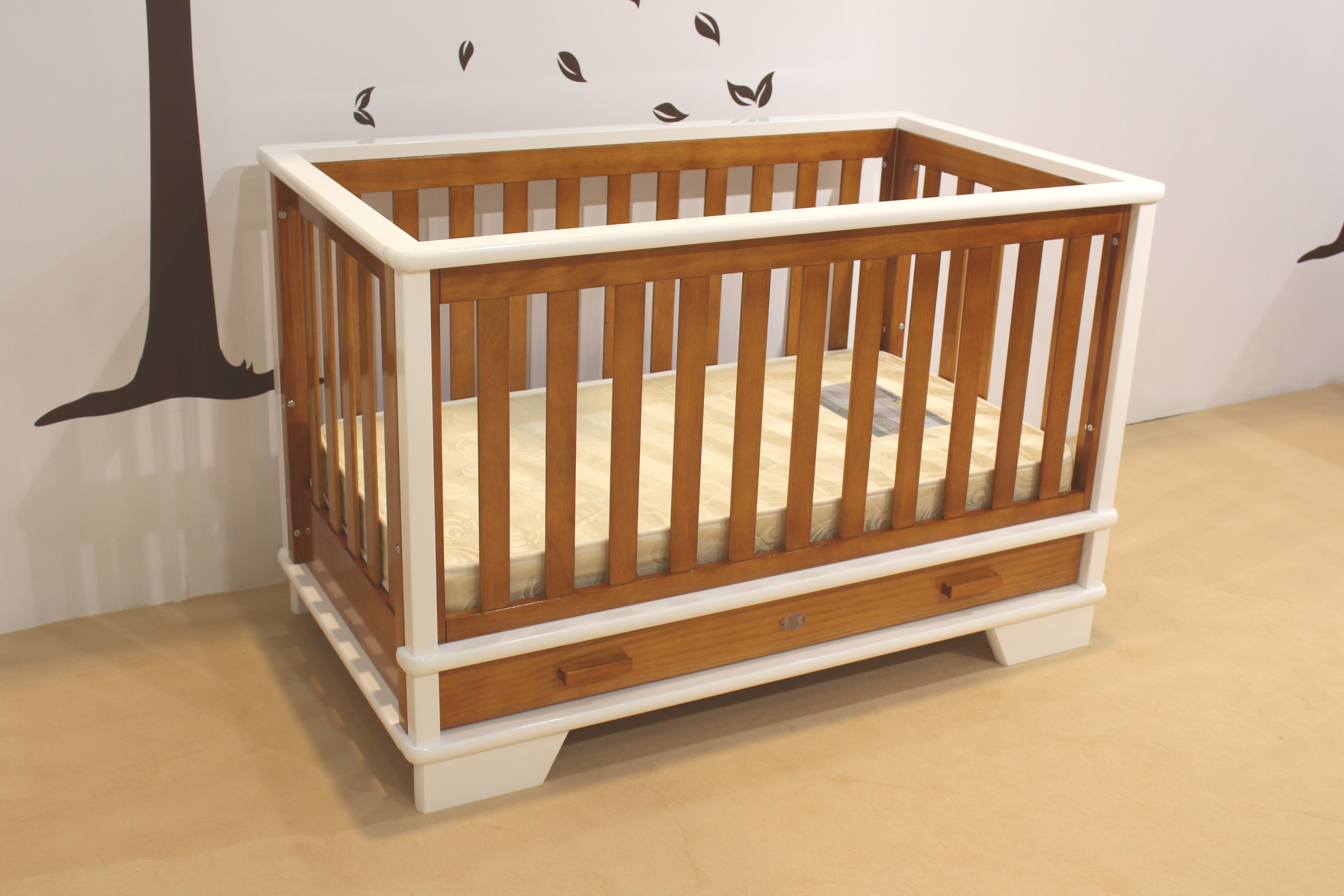
STEP and IGES are industry-standard formats that allow different manufacturing facilities to open and manipulate 3D models regardless of their native software. Engineers use these files to run finite element analysis (FEA) for load-bearing capacity and structural integrity. You cannot send a proprietary file format to a shop that uses different software and expect them to read the feature tree.
For a custom baby crib, 3D files allow manufacturers to verify exact spindle spacing (which must be no more than 2 3/8 inches) and mattress support heights before cutting expensive materials. The 3D model acts as the single source of truth for the physical volume of the product.
Import the STEP file into the FEA environment.
Assign material properties (e.g., Hard Maple, Baltic Birch Plywood) to the solid bodies.
Apply simulated downward force to the mattress support frame to test for deflection.
Apply lateral force to the top rails to simulate a toddler shaking the frame.
Analyze stress concentrations at the joint intersections and adjust the model if necessary.
Providing the original, editable design files to the manufacturer offers a significant scalability advantage. It allows the CNC programmer to easily adjust material thickness parameters if the specified wood batch varies by a fraction of a millimeter. Plywood is rarely exactly 0.75 inches thick; it often measures closer to 0.71 inches. If your design relies on tight dado joints, the native parametric file allows the engineer to update a single global variable and instantly resize every slot in the assembly.
This reduces the time and cost of back-and-forth revisions if structural modifications are required for safety compliance. Instead of asking the original designer to remodel the entire piece, the shop engineer can tweak the parameter and push the updated geometry straight to the CAM software.
Engineering custom baby furniture that grows with the child requires careful planning. CAD file configuration must use parametric assemblies to show both the primary and secondary configurations. This ensures all conversion hardware, pre-drilled holes, and structural supports are accurately modeled.
When designing a crib that turns into a toddler bed, the 3D model must include the toddler rail as a suppressed feature in the main assembly. The manufacturer needs to see exactly how the secondary components interface with the primary frame, ensuring that the threaded inserts placed for the infant stage do not interfere with the hardware needed for the toddler stage.
DXF and DWG files provide the exact two-dimensional line work read by CNC routers and laser cutters. Manufacturers use these files to arrange parts on a standard sheet of plywood to minimize waste and reduce per-unit costs. This process, known as nesting, relies entirely on clean, closed vector paths. If your DXF has overlapping lines or open contours, the CAM software will throw an error and refuse to generate a toolpath.
When designing a custom kids table set, DXF files ensure perfectly symmetrical curved edges and interlocking flat-pack joints that require zero metal hardware. The vector file dictates the exact path the router bit will take, including the dog-bone fillets necessary for square parts to fit into routed slots.
A single DXF file must be properly organized. Standard practices involve assigning different colors or layers to distinguish between through-cuts, pocket cuts, engraving, and drill holes. If you put all your lines on a single layer, the CNC operator has to manually select each line and guess what operation you intended.
For a custom nursery dresser, you must specify precise pocket depths for drawer slides and recessed safety hinges directly within the 2D file layers. A well-structured DXF file allows the operator to apply toolpaths globally based on layer names, cutting programming time in half.
Standard CNC Layer Naming and Color Coding | |||
Layer Name | Color Code | Operation Type | Tooling Example |
|---|---|---|---|
CUT_OUT_PROFILE | Red | Full depth through-cut | 3/8" Compression Bit |
POCKET_0.25IN | Blue | Recessed pocket cut (1/4" deep) | 1/4" Downcut Bit |
DRILL_5MM | Green | Vertical boring for shelf pins | 5mm Brad Point Drill |
ENGRAVE_LOGO | Magenta | Surface scoring | 90-degree V-Bit |
3D model requirements for a crib must include spindle clearance, side-rail heights, and mattress support drops to prevent fall risks. Detailed 3D files of the metal-on-metal connection points are mandatory. You cannot use wood screws in load-bearing structural joints as per safety regulations. Wood screws strip out over time, especially in softwoods like pine. The CAD file must show the exact placement of barrel nuts, cross dowels, and machine screws.
The mattress support system requires specific attention in the files. The design must include the metal brackets, the spring frame, and the exact hole spacing on the corner posts to allow for adjustable mattress heights. The lowest setting must provide a minimum of 26 inches of clearance from the top of the mattress support to the top of the side rail.
Anti-tip integration is vital. Incorporate anchor-point placements and structural reinforcement specs into the 2D drawing and Tech Pack. The back panel of the dresser cannot be a flimsy piece of 1/8-inch hardboard stapled in place; it must be a structural component, often 1/4-inch or 1/2-inch material captured in a routed groove, to prevent racking.
Vector files must show the exact alignment pins and non-marring hardware needed to secure a removable changing tray without damaging the dresser's top surface. The changing tray itself needs high sides (typically 4 inches minimum) modeled into the 3D file to meet fall prevention standards.
Designing 3D files to analyze the center of gravity and tipping angle is essential for a custom Moses basket stand. The footprint of the stand must be wide enough to prevent a toddler from pulling it over. Vector limits for curved rocker rails must be established to prevent over-rotation or tipping. The radius of the rocker curve dictates the speed and limit of the rocking motion.
The files must also detail the retaining hoops or straps that hold the basket securely to the stand. You cannot rely on friction alone. The CAD model should show the exact routing paths for any webbing or the precise placement of wooden retaining blocks.
2D vectors must feature rounded-edge profiles with minimum radius tolerances to eliminate sharp corners. A standard chamfer is often not enough; a full round-over profile should be called out in the technical drawings. 3D modeling should ensure wide, stable base footprints to withstand heavy downward force on the table edge.
Kids will climb on these tables. The leg joinery must be robust. If using a flat-pack design, the DXF files must account for the kerf of the router bit and include dog-bone or T-bone fillets in the inside corners of the slots so the mating parts sit flush.
A comprehensive spreadsheet or PDF detailing every physical component is required. Crucial inclusions are exact wood species, hardware part numbers, and fastener dimensions. Explicitly list GREENGUARD Gold Certified, zero-VOC, or non-toxic water-based finishes, glues, and paints. Substrate specifications should detail requirements for formaldehyde-free plywood or sustainably sourced solid wood.
The BOM leaves no room for interpretation. If you just write "screws," the shop might use drywall screws. You must specify "M6 x 40mm Zinc-Plated Connector Bolt."
Sample Bill of Materials (BOM) Extract | |||
Part Number | Description | Material / Spec | Quantity |
|---|---|---|---|
PN-101 | Left Side Panel | 3/4" Baltic Birch Plywood (CARB2) | 1 |
PN-102 | Right Side Panel | 3/4" Baltic Birch Plywood (CARB2) | 1 |
HW-201 | Connector Bolt | M6 x 40mm, Zinc Plated Steel | 8 |
HW-202 | Barrel Nut | M6 x 12mm, Zinc Plated Steel | 8 |
FN-301 | Clear Coat Finish | Water-based, Zero-VOC, GREENGUARD Gold | As needed |
2D technical drawings exported from the 3D model must feature explicit dimensional callouts and tolerance limits. Detail the exact angle of cross-bracing, the required tensile strength of the hardware, and the maximum weight-bearing load tolerances. If a hole needs to be exactly 5mm for a shelf pin, the drawing must state 5mm +0.1/-0.0. A hole that is too large will result in a shelf that collapses under weight.
Designing a piece that is legally unsellable or unsafe due to non-compliance with CPSC, ASTM, or AAP guidelines is a major risk. Embed compliance notes directly into the Tech Pack, noting that all corner posts are flush or less than 1/16th of an inch high to prevent clothing snags, and validate crib mattress fitment tolerances.
The technical drawings should include a specific page dedicated to safety checks. This page acts as a checklist for the quality control team on the shop floor. It should visually highlight the critical safety zones, such as the gap between the mattress and the crib sides, which must not exceed standard limits.
The first set of design files is rarely the final production file. Cutting a prototype from the CAM files is necessary to test for tipping hazards, joint stability, and hardware reliability before approving the final file version for full production. Physical testing reveals the real-world behavior of the materials.
Cut the initial prototype using the exact materials specified in the BOM.
Assemble the product using the specified hardware to check for fit and alignment.
Conduct physical load testing (e.g., placing a 50lb weight on the edge of the changing table).
Perform a tip-over test using a force gauge.
Revise the CAD files based on the physical test results and update the version number on all documents.
Consider the trade-offs between traditional woodworkers and automated CNC facilities. Ensure the chosen manufacturer utilizes software compatible with your provided file types. Providing clean, well-organized CAD/CAM files significantly reduces the time and cost of production. Ask the shop what CAM software they use. If they use Mastercam or VCarve, ensure your DXF exports are optimized for those platforms.
A good manufacturing partner will review your files and immediately point out areas where tooling might struggle, such as sharp inside corners that a round router bit cannot cut. They will suggest minor design modifications that maintain the aesthetic while drastically improving manufacturability.
Getting custom nursery furniture from a digital file to a physical product requires strict adherence to engineering standards and safety regulations. You must provide the shop floor with exact data, not just pretty pictures.
Export all 3D models in universal formats like STEP or IGES to allow for structural evaluation and CAM programming.
Organize your 2D DXF files with clear, standardized layer names and color codes to speed up CNC routing.
Build a comprehensive Tech Pack that includes a detailed Bill of Materials, specifying exact hardware and non-toxic finishes.
Embed CPSC and ASTM safety compliance notes directly into your technical drawings to ensure the final product passes inspection.
A: STEP or IGES files are crucial for 3D structural evaluation, while DXF or DWG files are essential for 2D CNC routing and cutting.
A: A Tech Pack provides critical non-geometric data, such as the Bill of Materials, hardware specifications, and non-toxic finish requirements, which cannot be fully captured in a 3D model.
A: You must mathematically integrate CPSC and ASTM standards into your CAD files, specifying exact spindle spacing, mattress support heights, and hardware tolerances.
A: No, safety regulations require metal-on-metal connection points, like barrel nuts and machine screws, for load-bearing structural joints to ensure long-term stability and safety.
A: Vector files should include properly organized layers and color-coding to distinguish between through-cuts, pocket cuts, engraving, and drill holes, ensuring the operator applies the correct toolpaths.


